How to Make a Choicer Voicer Voice Pack
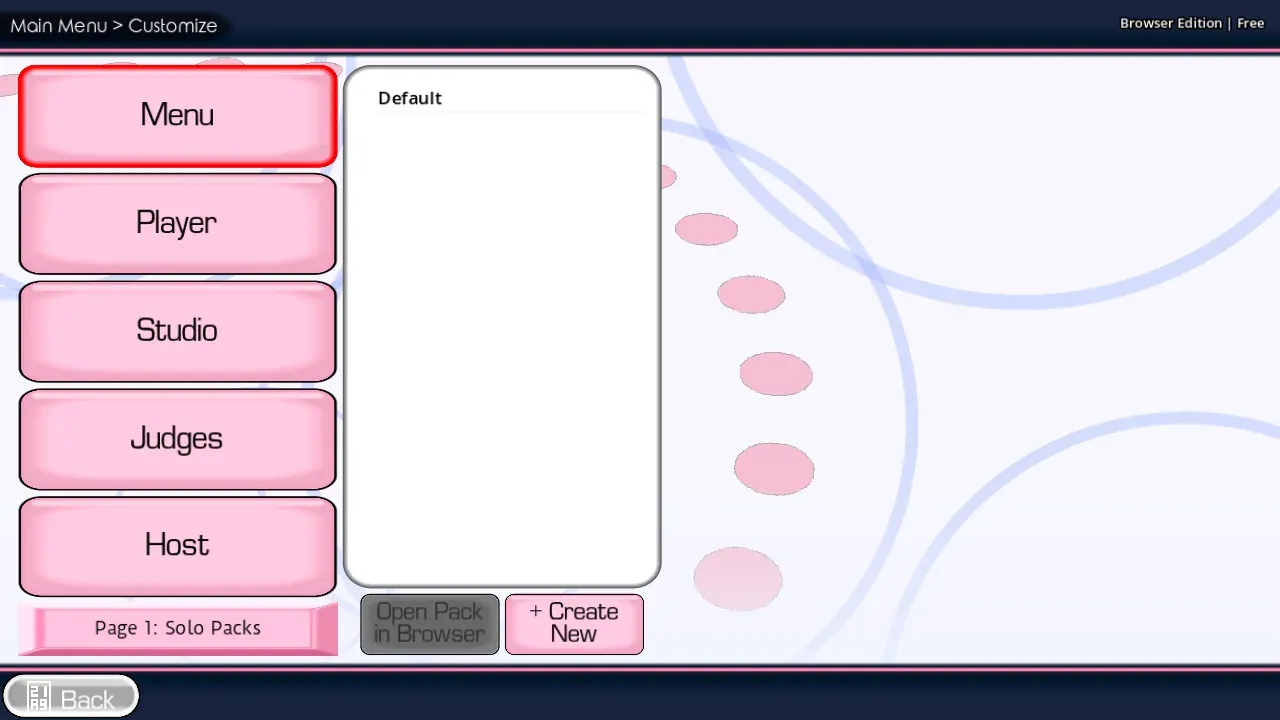
Gather clips you created or may use, then open Custom and pick the files. That in-game picker is how you add a pack in the browser.
To add a pack in the browser, gather clips you created or may use, then open Custom and pick those files. That is the pack maker: your folder plus the in-game picker on the homepage, not an upload form.
Prepare the clips
- Put the clips for one theme or character together.
- Give every clip a short, readable name.
- Remove duplicates and very long files.
- Preview the audio so silent or damaged clips do not enter the session.
- Open Custom and use the picker shown by your browser.
Keep one pack focused. A small group of clear prompts is easier to play than a huge unsorted collection.
Make the pack easy to use
| Choice | Better approach |
|---|---|
| File names | Use short names that describe the prompt |
| Clip length | Start with brief lines while learning the controls |
| Audio level | Keep clips close to the same loudness |
| Rights | Use material you created or are allowed to use |
| Organization | Keep unrelated voices in separate packs |
The site does not ask you to upload a pack to an account. Selection happens through the game interface when the browser provides the file picker.
After loading the pack, follow Dub Mode to record each prompt. If you have not finished the first session, stay with the Tutorial Pack.
FAQ
Can I use any clip I find online?
No. Use audio you created, licensed, or otherwise have permission to use.
Why does a pack feel slow?
Long clips create long waits between performances. Start with short prompts and add longer scenes later.
Why is my pack missing?
Open Custom again and confirm that you selected the intended files. Browser file access may need to be granted again in a new session.
How do I add a pack?
Put the clips in one folder, open Custom, and select them in the browser picker. There is no separate pack-maker page on this website.
The complete game is free to play on The Choicer Voicer homepage . There is no installer.